Write docs. Sketch boards.
Edit PDFs. Together, live.
A fast, focused real-time editor for docs, boards and PDFs. Sketch on an endless canvas, write on a clean page, mark up a PDF, and work on the same thing as your team.
Built for the desktop, with a Nibo Android app for tablets.
The board
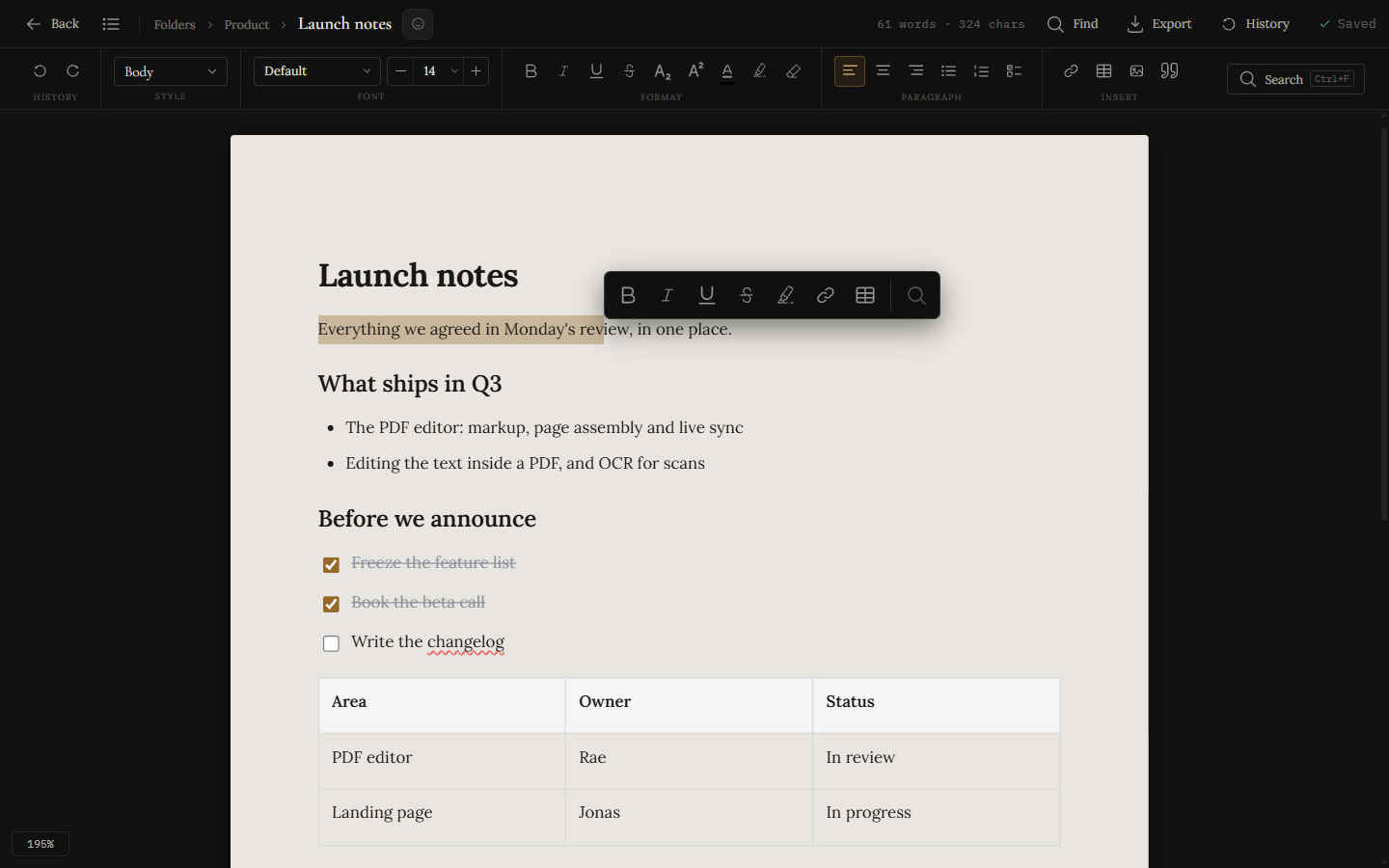
A freeform board for notes and sketches.
Put notes, checklists, shapes and freehand drawings anywhere on an infinite canvas and join them with labelled arrows. When a corner of the canvas needs structure, give it structure: stack cards in a column, run work across kanban lanes, or drop in a table. Boards also hold your documents, PDFs, links and the people you work with as cards. With the Nibo Android app you can draw straight onto the board with touch or a stylus.
- Kanban lanes & columns
- Labelled connectors
- Doc, link & person cards
- Draw with a stylus
- Snapping, lock & PNG export
The editor
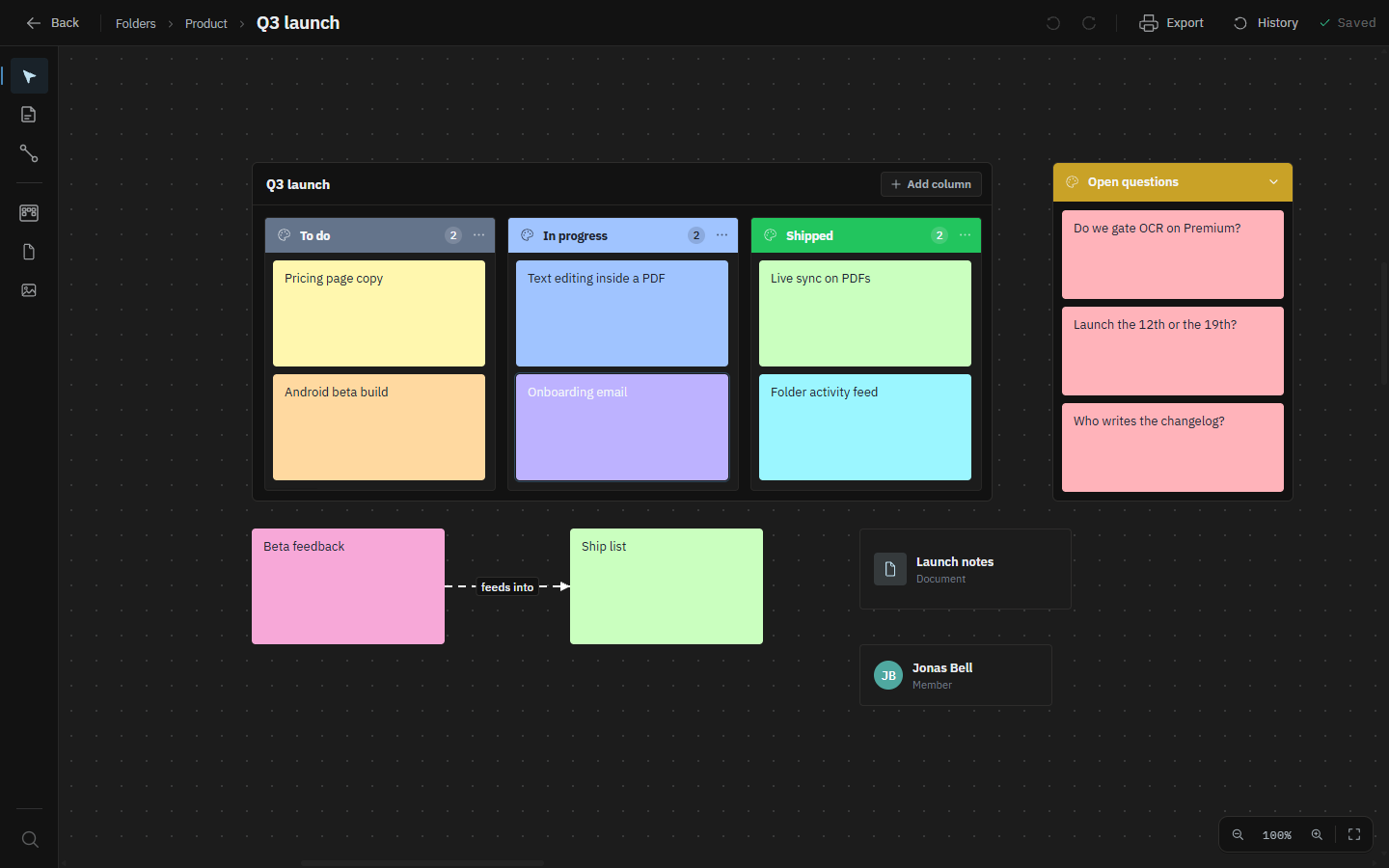
A document editor on a clean A4 page.
Write on a full A4 page with headings, lists, checklists, tables and images. A built-in spell check catches typos as you type, find & replace and a live outline keep long documents manageable, and version history means an afternoon's work is never one mistake away from gone. Print, export to PDF, or take the whole thing away as Markdown.
- A real A4 page
- Print, PDF or Markdown
- Tables, checklists & images
- Find & replace + outline
- Version history
The PDF
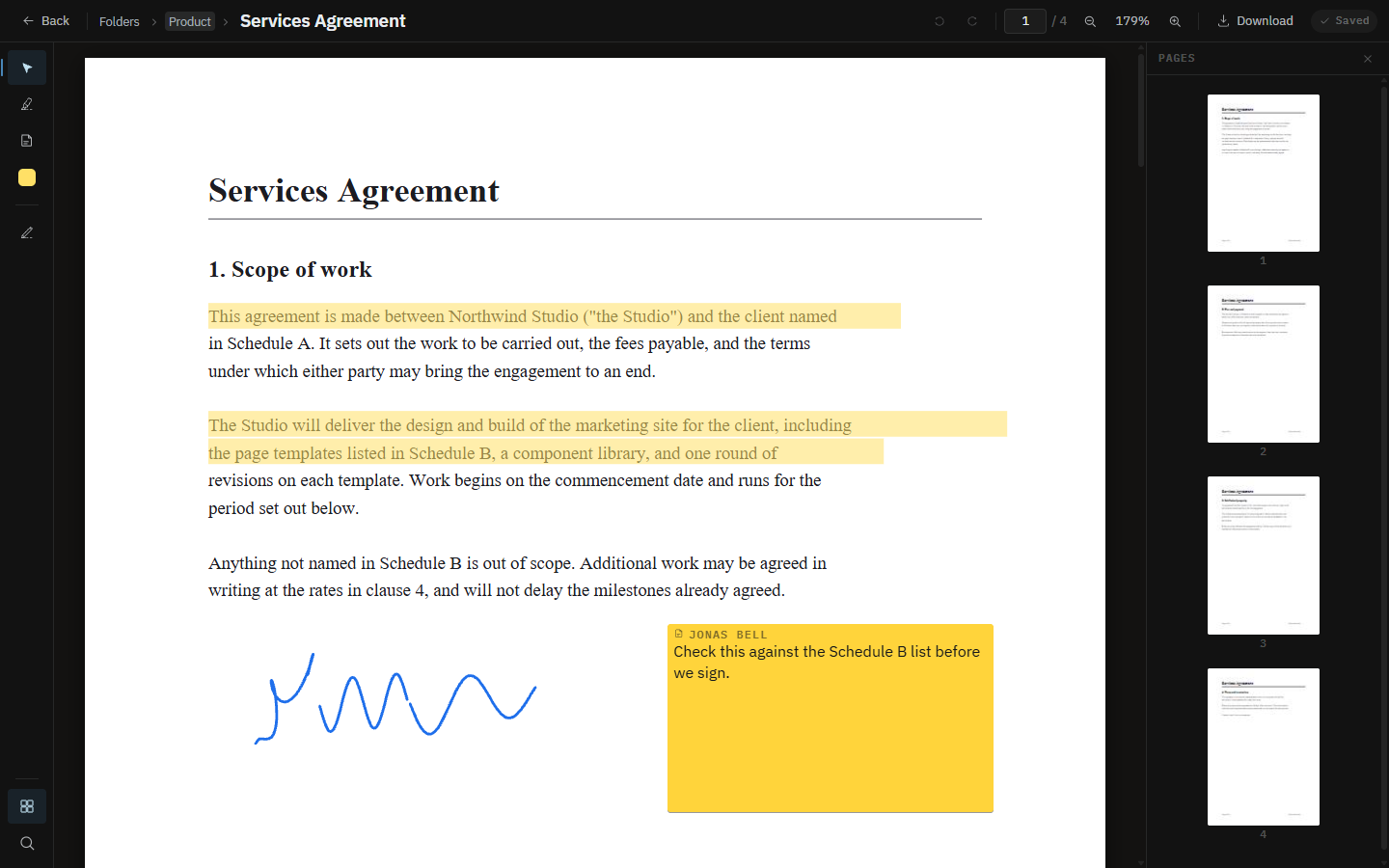
Mark up a PDF, and keep the original.
Open a PDF in its own space and work on it: highlight, underline, drop a sticky note, draw, stamp it and sign it. Drag the page thumbnails to reorder, rotate or pull a page out. On Premium you can edit the words already set in the page, so a wrong date is a correction rather than a note asking someone else to make one, and OCR turns a scan into text you can search and select. Download it and every annotation is baked into a new file, because the PDF you uploaded is never rewritten: Revert to original always has something to go back to.
- Highlight, notes & ink
- Stamp & sign
- Reorder, rotate & extract pages
- Edit the words (Premium)
- OCR a scan (Premium)
Real-time
Edit together, in real time.
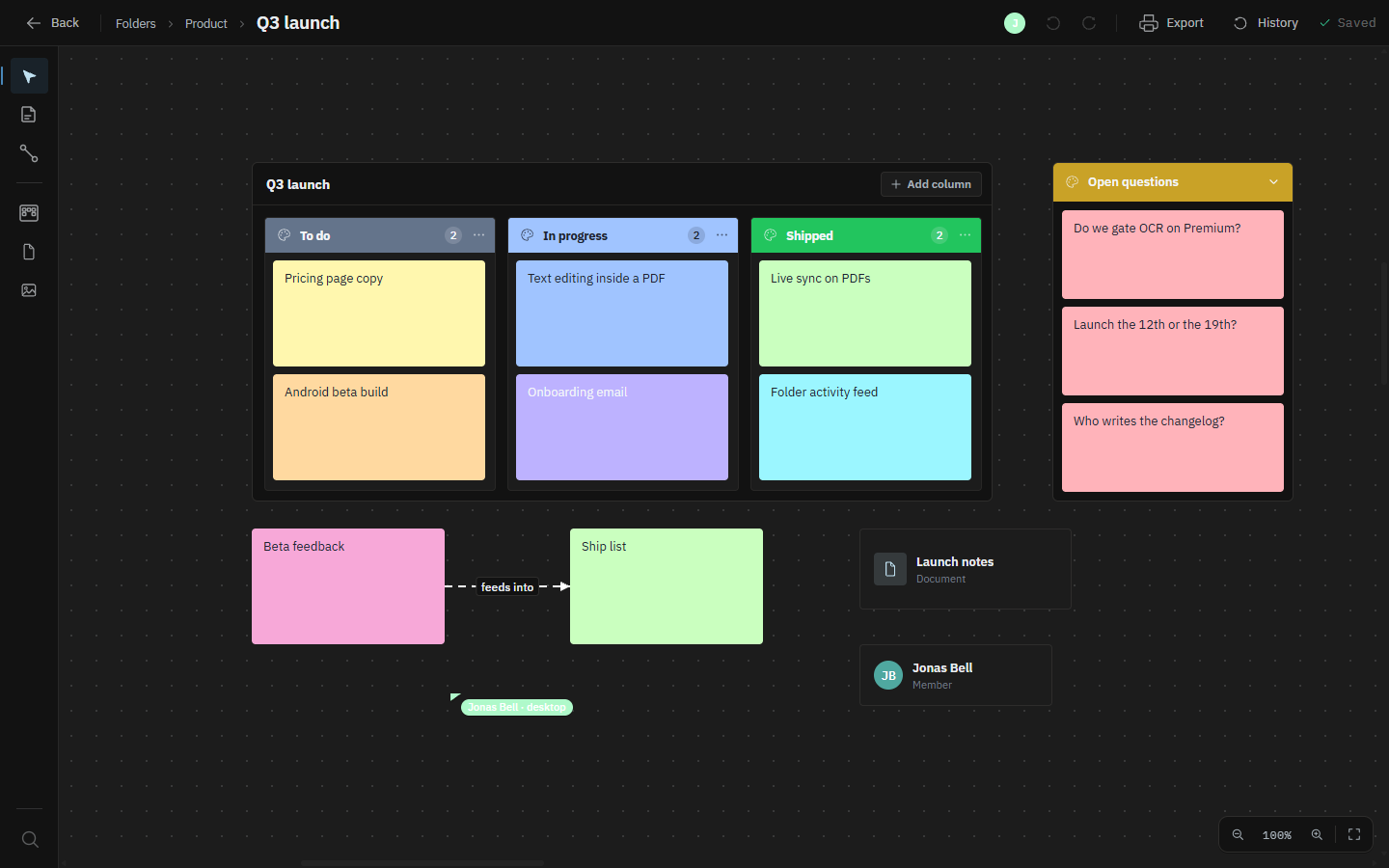
Invite someone to a folder and you are both on the same board, document or PDF at once. You see their cursor and their name as they move a card, draw or write. Two people can work on the same note, or type in the same paragraph, without overwriting each other. Few editors let two people into the same PDF at once: here you both mark up the same file, and each highlight appears on the other screen as it is drawn.
- See where everyone is
- No merge conflicts
- Boards, docs and PDFs alike
- Editor or view-only
Folders
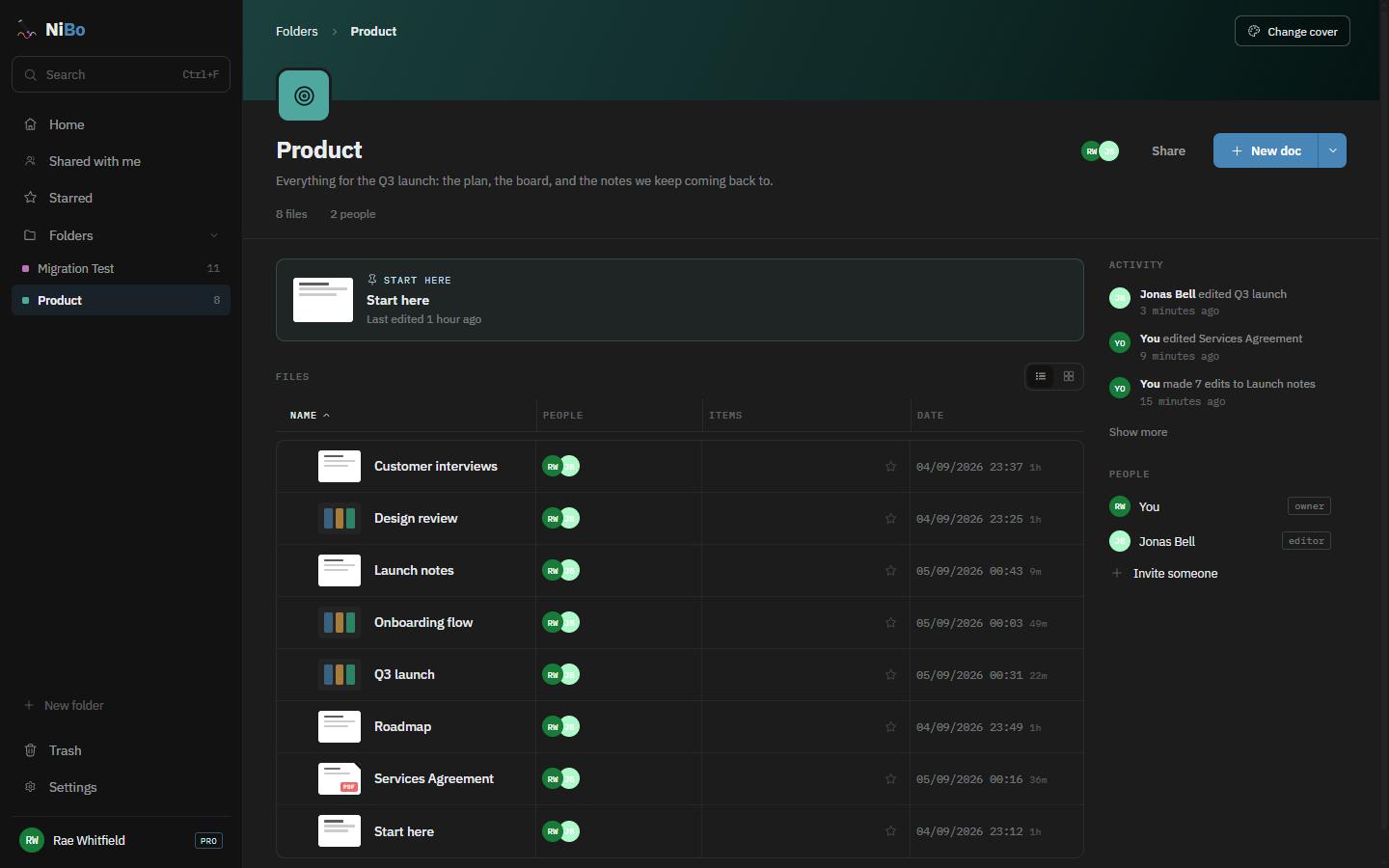
A folder is a place, not a filter.
Give a folder a colour, an icon and a line about what it is for, pin the file people should read first, and nest sub-folders inside it. Share the whole folder at once, and people get edit or view-only access. When you come back, the activity feed says what happened and a quiet dot marks what changed since you were last here.
- Covers, icons & descriptions
- Share a whole folder
- Editor / viewer roles
- Sub-folders & a pinned start
- Activity & what changed
Home
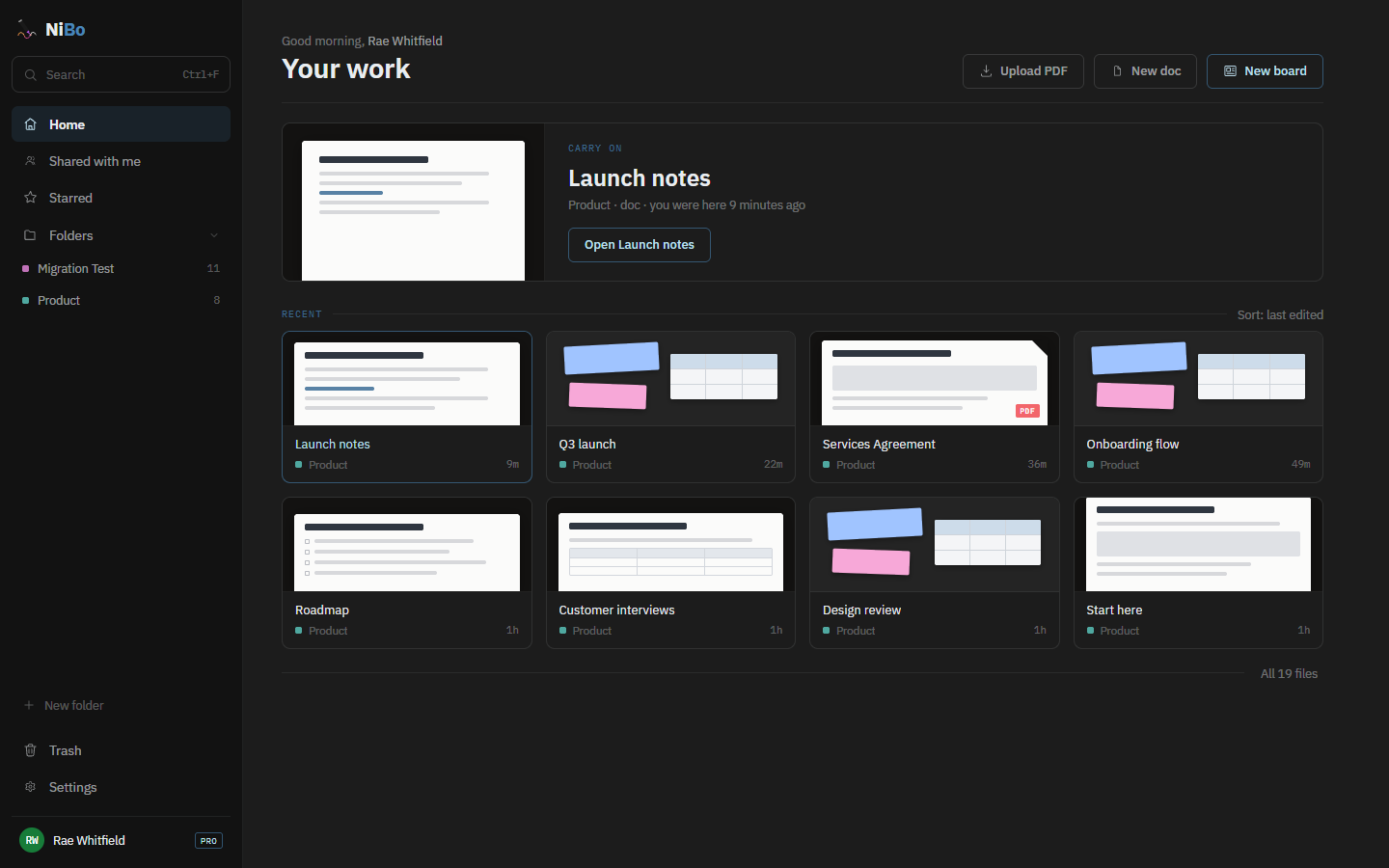
Pick up exactly where you left off.
Home opens on the thing you were last in, and tells you who else is in it right now. Under that, everything you have touched recently, with a preview. Starred keeps what matters close, Shared with me collects what other people brought you, and Trash holds deleted work for 30 days before it clears itself.
- Carry on where you stopped
- Preview every doc & board
- Starred & shared with me
- 30-day trash
One door
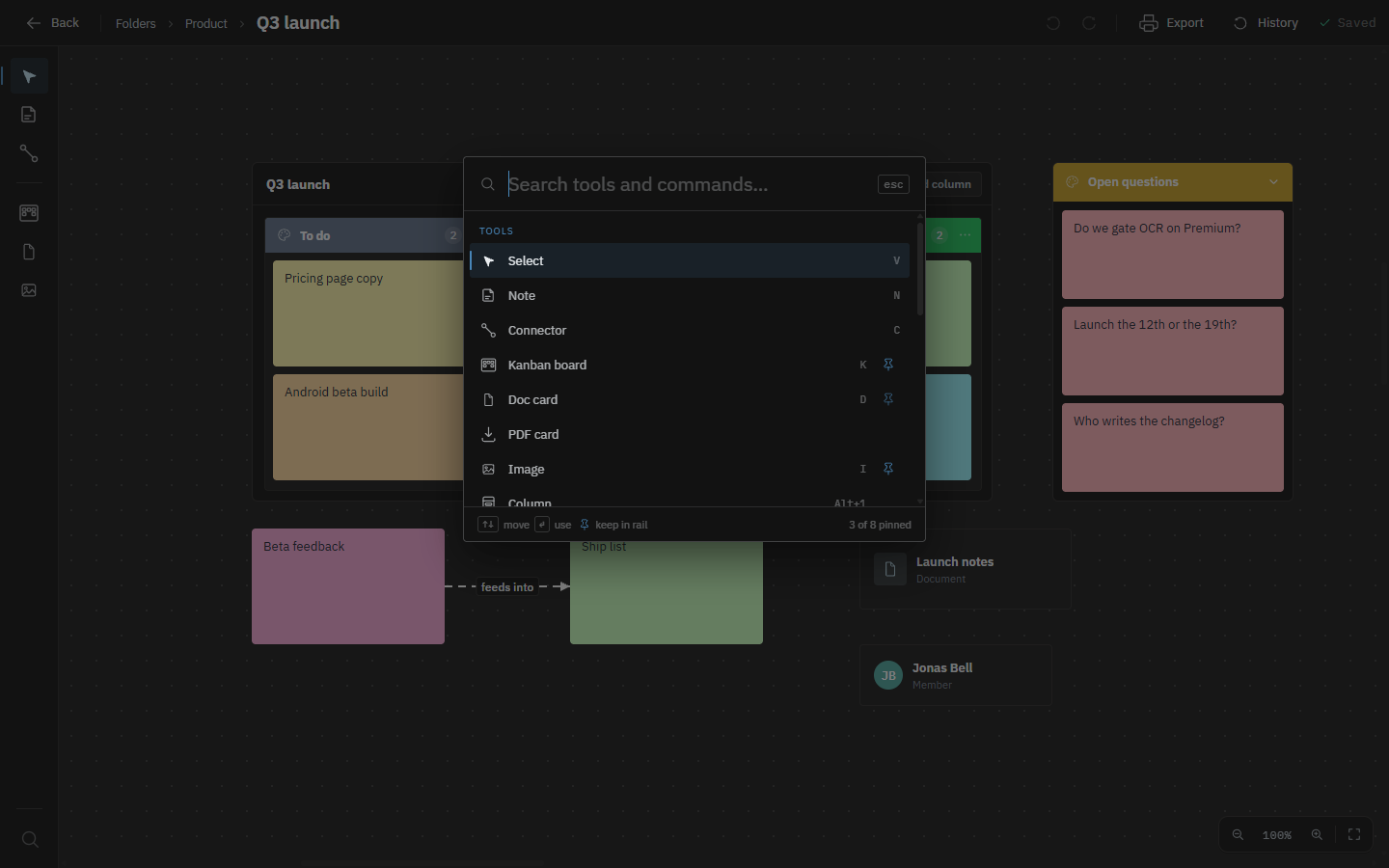
Everything is one keystroke away.
Every tool and command lives in one searchable list, opened with ⌘F. Type three letters and it is there, with no hunting through a toolbar that grows every release. Anything you reach for often, you pin: on a board it joins the left rail, in a document it follows your cursor. Search finds it, pinning keeps it.
- ⌘F finds any command
- Pin what you use
- Rebind the shortcuts
- Three themes
Pricing
Start free. Upgrade when you're ready.
Everything you need to get going.
- 3 documents
- 1 board, 20 items
- 3 PDFs to read, mark up and sign
- 1 folder, shared with your team
- 50 MB of uploads
- Live sync and sharing, not a paid extra
- Print & export documents to PDF
For when the free plan stops being enough.
- Everything in Free, plus
- Unlimited documents, boards & PDFs
- Upload files of any size, 500 MB in total
- Version history on boards & documents
- Sub-folders inside a folder
- Edit the text inside a PDF
- OCR: make a scanned PDF searchable
- Board PNG/PDF & Markdown export